About Secure Boot in UEFI mode
Attention:
For some computers you must enable Allow Microsoft 3rd Part UEFI CA option in the UEFI firmware to make Ventoy boot.
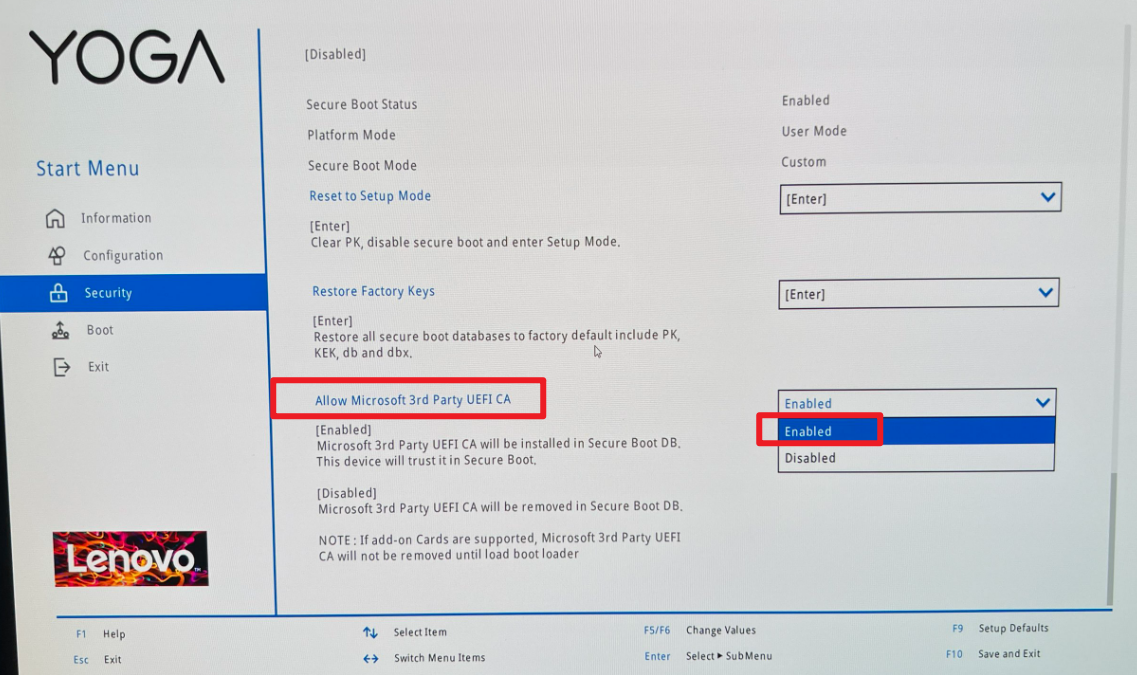
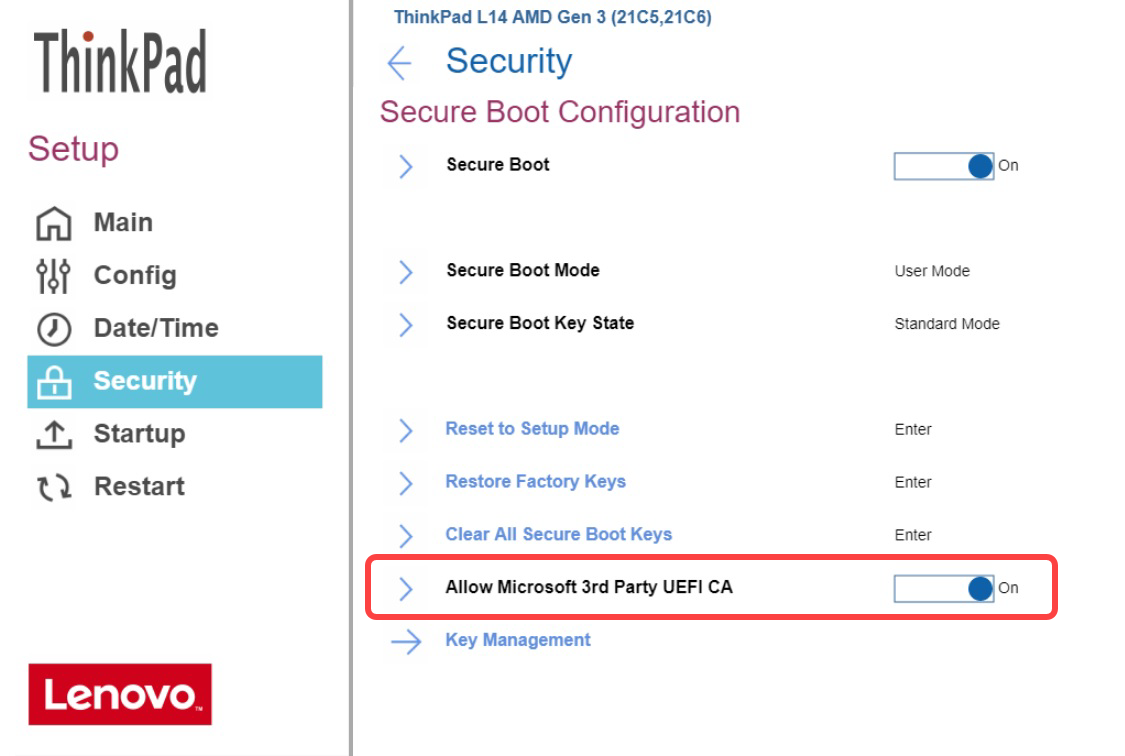
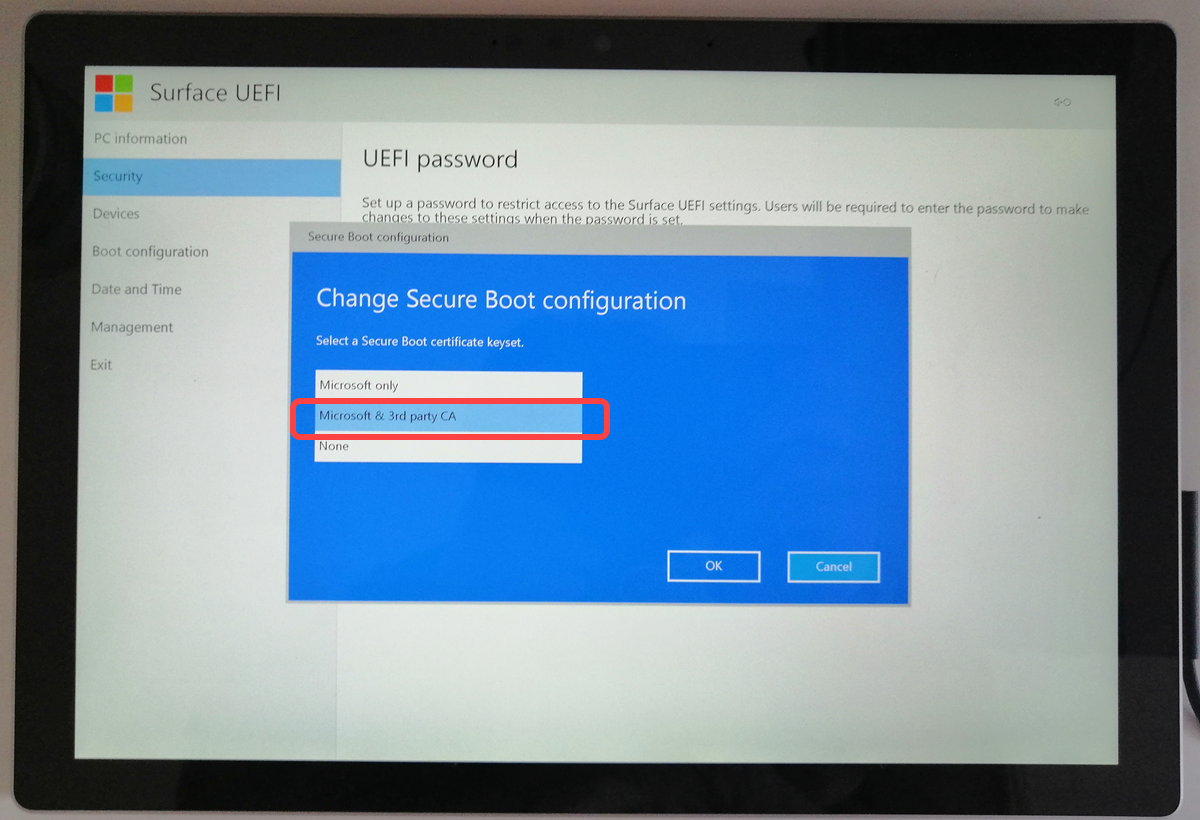
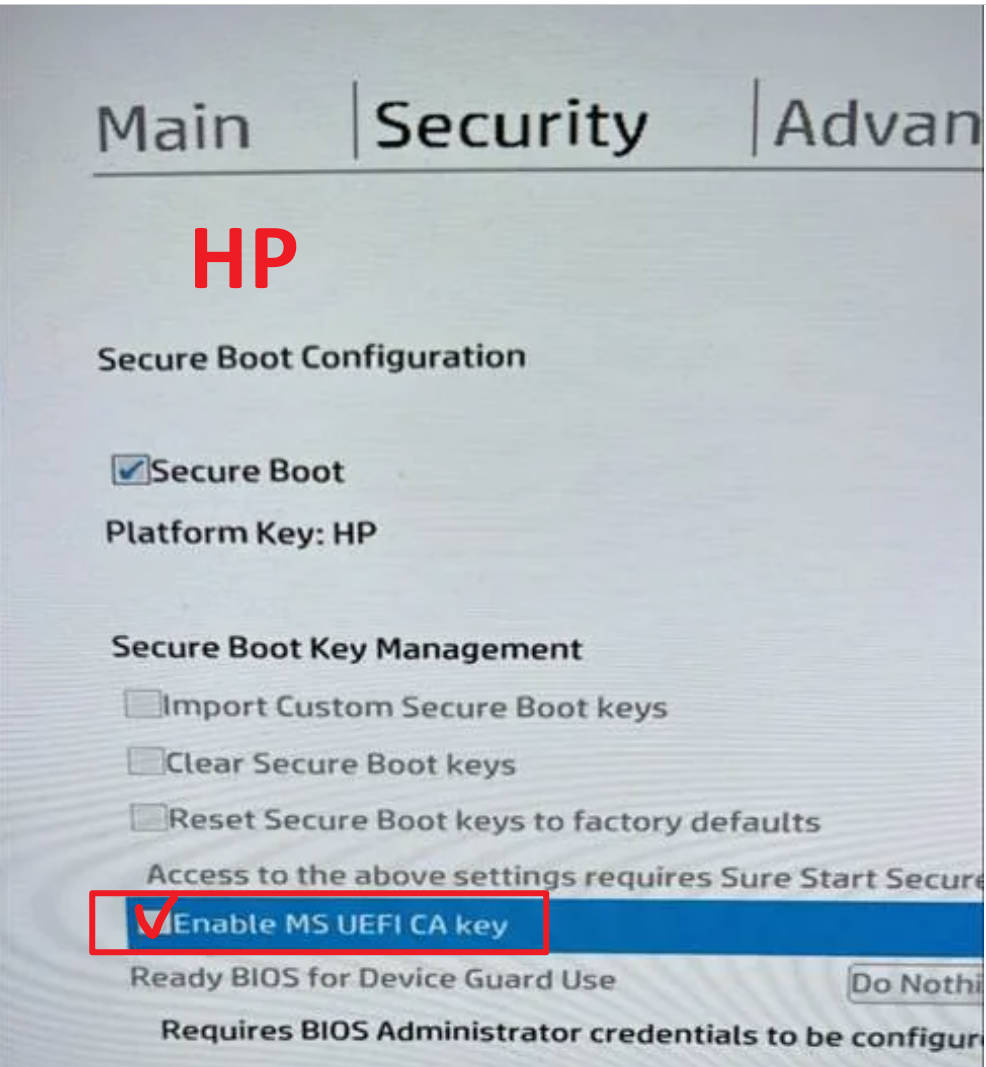
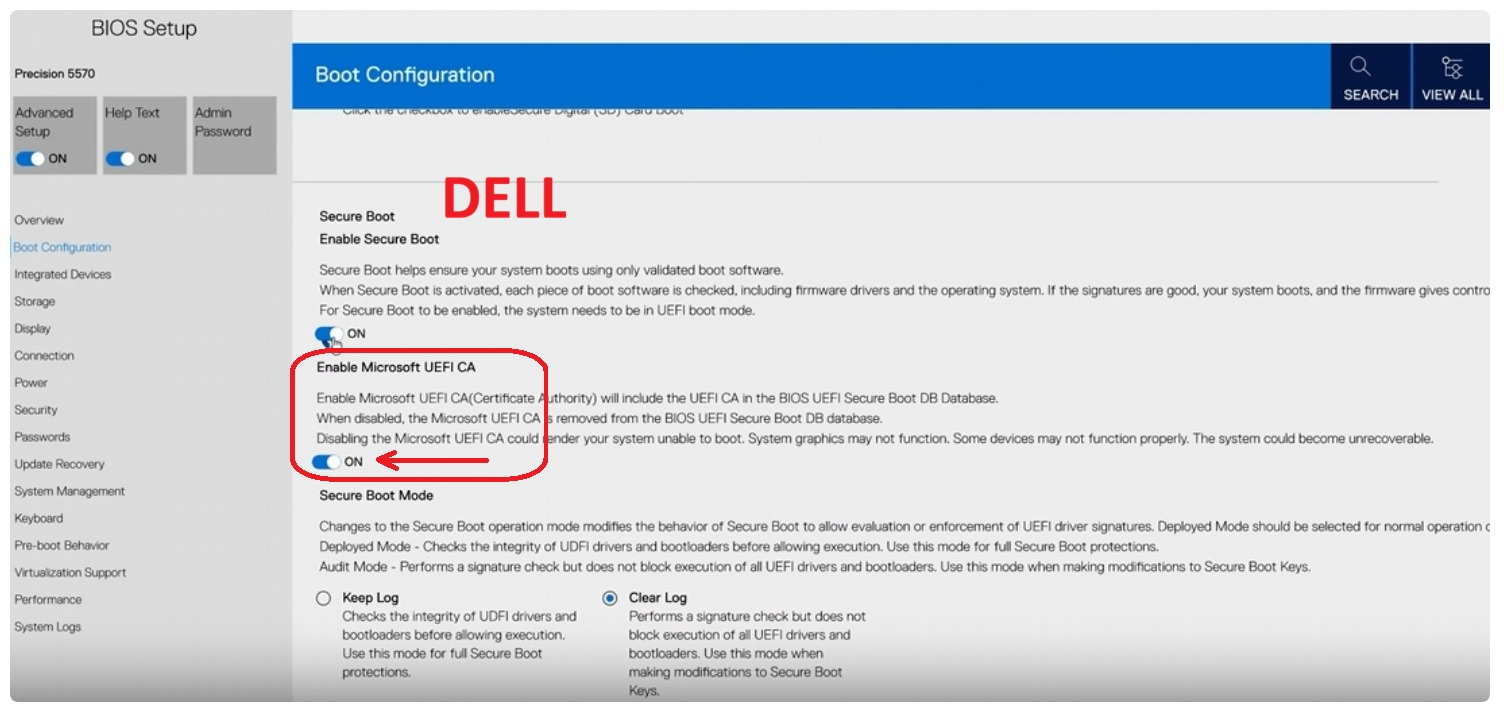
Secure Boot was supported by default from Ventoy 1.0.76, an option for secure boot is added in Ventoy2Disk.exe/Ventoy2Disk.sh.
Menu Option-->Secure Boot Support for Ventoy2Disk.exe and -s option for Ventoy2Disk.sh
Attention: Ventoy default policy is fully bypass secure boot which means all EFI files can be booted without any check.
If you still want to follow the UEFI secure boot policy, you can set Ventoy Global Control Plugin Option.
For details please refer Ventoy Secure Boot Policy
In theory, Ventoy can boot fine no matter whether the secure boot in the BIOS is enabled or disabled.
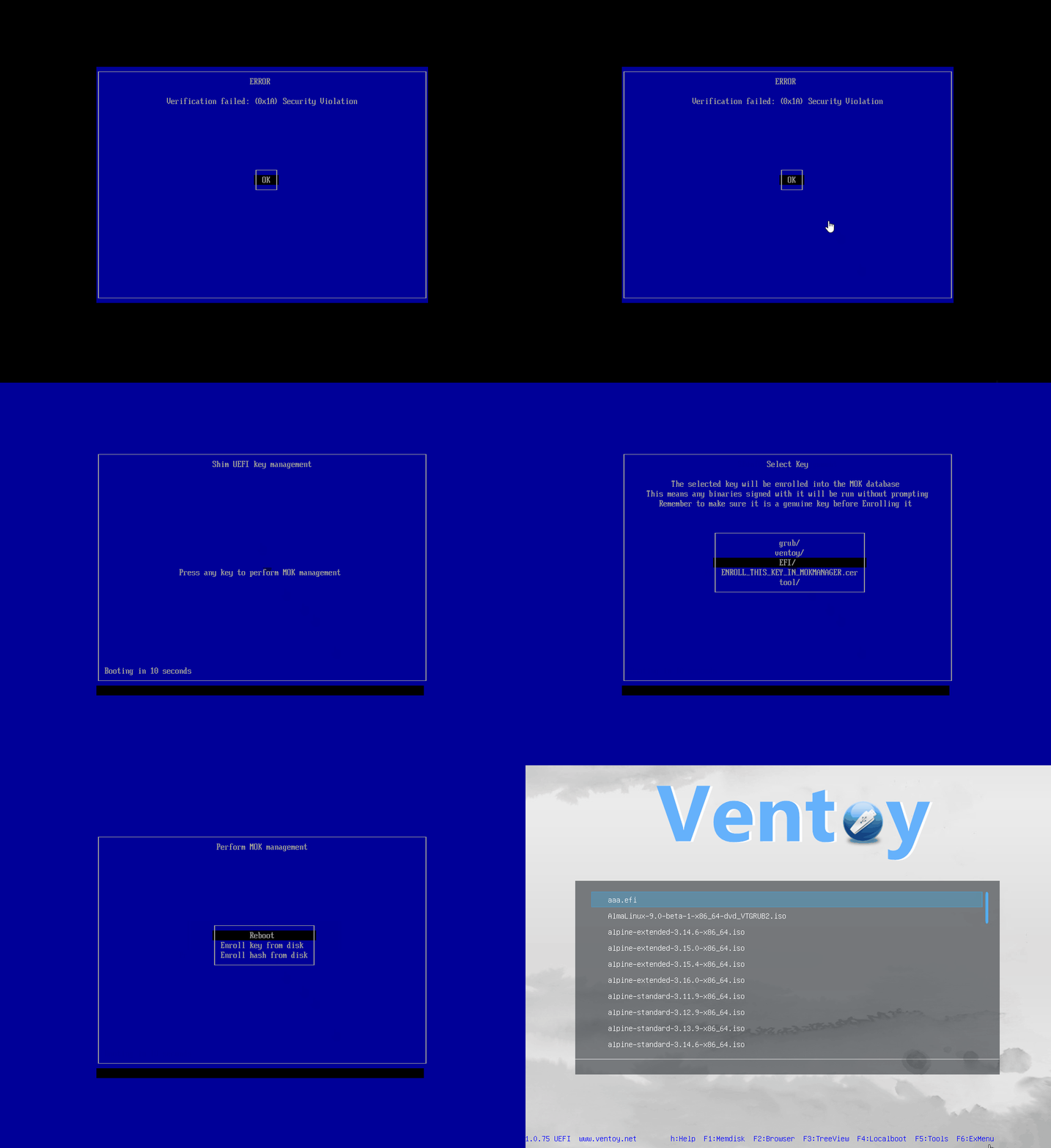
If the secure boot is enabled in the BIOS, the following screen should be displayed when boot Ventoy at thte first time.
Please follow the guid bellow.
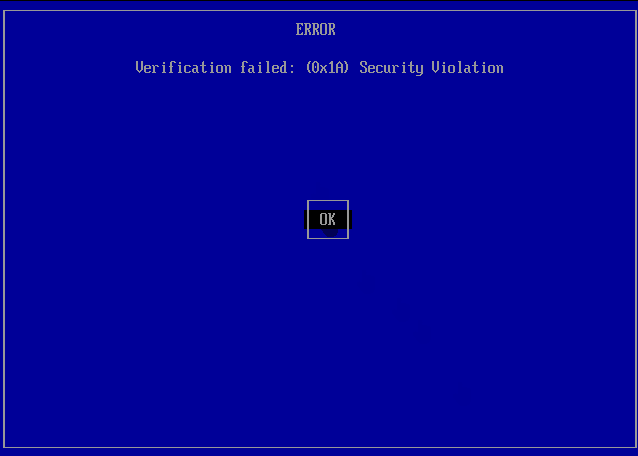
However the solution is not perfect enough. If you get some error screen instead of the above blue screen (for example, Linpus lite xxxx).
It means that the secure boot solution doesn't work with your machine, so you need to turn off the option, and disable secure boot in the BIOS.
Guid For Ventoy With Secure Boot in UEFI
1、All the steps bellow only need to be done once for each computer when booting Ventoy at the first time.
2、Since Ventoy 1.1.13+ you need to enroll a new key for the UEFI CA 2023 issue.
Enroll Key